

♥ Wishlist
Compare 22 verified External SSD Hard Drives for Fast and Reliable Storage products in India. Reviews, ratings, pros, cons and buying advice updated for October 2026.


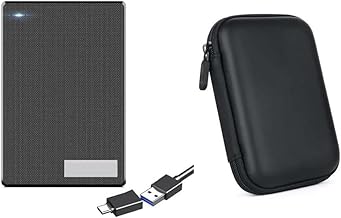


Choosing an external storage drive is not simply a matter of selecting the largest capacity or the highest advertised transfer speed. The right device depends on how you plan to use it, which ports your computer or phone provides, how frequently you will move large files, whether portability matters, and how much protection your data needs.
For Indian buyers, the most useful comparison is usually between portable external SSDs, portable hard disk drives, desktop external hard drives, and newer high-speed USB-C storage devices. Each category has a different balance of speed, capacity, portability, durability and cost per gigabyte.
Brands such as Samsung, SanDisk, Western Digital, Crucial, Kingston, Seagate and Transcend offer external storage products across different performance and capacity segments. However, brand reputation alone should not determine a purchase. Always compare the exact model, interface, rated speed, compatibility, warranty terms, physical construction and intended workload.
The biggest decision is whether an SSD or HDD better matches your workload. Both can be useful, but they are designed around different priorities.
An external solid-state drive uses flash memory rather than spinning magnetic platters. Because there are no moving mechanical components, portable SSDs are generally better suited to frequent travel, rapid file transfers and situations where the drive may experience vibration or movement during normal use.
External hard disk drives remain attractive when capacity and storage economics are more important than maximum transfer performance. They can be particularly practical for large media libraries, archived documents, backups and other data that does not need to be accessed at SSD-like speeds.
Choose an external SSD when speed, portability and frequent file transfers are priorities. Choose an external HDD when you need substantial storage capacity for backups or archives and can accept slower performance. For important data, consider using both rather than treating one external drive as your only copy.
Storage capacity should be selected according to the type of files you keep rather than simply choosing the largest number available. A drive that looks generous today can become restrictive if you regularly store high-resolution photographs, 4K video, games or professional project files.
A drive around this capacity can suit everyday documents, personal photographs, moderate media collections and portable working files. It can also be a practical secondary drive for a laptop with limited internal storage.
1TB is a versatile choice for many users. It provides considerably more room for photographs, videos, documents, application installers and other frequently accessed data without becoming unnecessarily large for portable use.
A 2TB external drive is often worth considering for users who maintain substantial photo libraries, video projects, game installations or multiple computer backups. It also provides more breathing room for future growth.
Larger capacities make more sense for extensive media collections, archival storage, workstation backups and users who routinely work with large video files. At these capacities, an HDD can be particularly attractive when the objective is maximum storage rather than minimum transfer time.
Remember that advertised capacity and usable capacity are not identical. A portion of the storage is used by formatting and the file system, so the operating system will normally display somewhat less usable space than the capacity stated on the product packaging.
One of the most common buying mistakes is assuming that a USB-C connector automatically means the drive will deliver the highest possible transfer speed. USB-C describes the physical connector; it does not by itself specify the underlying performance level.
When comparing external drives, check both the connector and the USB standard or interface specification. A fast SSD connected to a slower host port can be limited by the computer, phone, hub or cable rather than by the SSD itself.
A drive's advertised maximum speed is normally achievable only when the complete connection supports the required interface and conditions. If a high-speed SSD is attached through an older USB port, an incompatible hub or an unsuitable cable, actual performance can be significantly lower.
USB cables are not interchangeable in terms of capability. Some cables prioritize charging, while others support higher data-transfer rates. If a drive includes a cable designed for its interface, use the supplied cable where practical. When replacing it, verify that the replacement explicitly supports the required data standard.
A drive connected directly to a compatible computer port may perform differently from the same drive connected through a hub, docking station or monitor. Shared bandwidth and the capabilities of the hub can affect transfer performance.
External storage specifications frequently highlight sequential read and write speeds because they provide an easy way to compare large-file performance. However, real-world storage behavior involves more than one performance metric.
Sequential performance is especially relevant when copying large video files, disk images, large archives and other data that can be transferred in relatively continuous blocks.
Random workloads involve smaller pieces of data being accessed from different locations. They are important for some application, development and multitasking scenarios. A drive that has an impressive sequential specification is not automatically the best option for every workload.
Short benchmark results do not always represent a long continuous write. Some SSDs can use a high-speed cache to deliver excellent initial performance and then slow down after the cache becomes heavily utilized. This matters when transferring very large datasets or recording lengthy video projects.
Compact high-performance SSDs can generate substantial heat during sustained workloads. Depending on the design and operating environment, thermal management can influence sustained performance. Buyers who regularly transfer hundreds of gigabytes should pay more attention to sustained workloads than to headline peak figures alone.
Before buying an external drive, confirm compatibility with every device on which you expect to use it. Physical connection compatibility and file-system compatibility are separate considerations.
Most mainstream external drives are straightforward to use with Windows computers, but the pre-formatted file system and intended usage should still be checked. If the drive will be shared between different operating systems, select a file system appropriate to the devices and applications involved.
Mac users should check the drive's formatting and whether they need native write access without reformatting. A drive intended for backup software can also have different requirements from one used simply to transfer documents between computers.
Modern Android devices can support external USB storage, but compatibility varies by handset, operating system version, USB implementation and available power. A USB-C connector on the phone does not guarantee that every external SSD will behave identically.
Compatibility depends on the specific generation and port configuration of the device as well as the storage device and file system. Users buying an external drive primarily for mobile photography or video should confirm the requirements of their exact device before purchasing.
Console storage requirements can differ from those of a computer. Some external drives can be used for storing games but may have restrictions on running software directly from external storage. Always check the requirements of the exact console generation and game-storage scenario.
Not every premium feature improves the experience for every buyer. Consider the features that match your actual workload.
For travel, a smaller drive is easier to carry and less intrusive when connected to a laptop. Compactness is particularly valuable for students, photographers and professionals who move between multiple work locations.
Solid-state storage has an inherent advantage over spinning HDDs because it has no mechanical platter assembly, but that does not make an SSD indestructible. The connector, enclosure, circuit board and flash storage can still be damaged by impact, liquid, excessive heat or misuse.
If an external drive contains confidential documents, business records or personal information, encryption deserves serious consideration. Encryption can reduce the consequences of losing the physical drive, but it should never replace secure passwords, backups and sensible device security.
Security features can be useful for portable storage because the device is more likely to leave the home or office. Check how protection is implemented and whether access depends on proprietary software or a particular operating system.
For HDD buyers, capacity is only one consideration. The physical design, power arrangement, intended duty cycle and backup strategy also deserve attention.
Portable HDDs are designed for mobility and are generally more convenient for laptops. Desktop external HDDs are often physically larger and may require dedicated power, making them more suitable for a fixed desk and high-capacity storage role.
Check whether the drive is bus-powered or requires an external adapter. A bus-powered drive is more convenient for travel, whereas a desktop drive with its own power supply can make more sense when it will remain connected at a workstation.
Because HDDs contain moving components, they can produce audible operating noise and vibration. This may be irrelevant for a backup drive used occasionally but more noticeable when the drive remains connected beside a desktop computer throughout the day.
Photographers should consider both working storage and backup storage. RAW images can accumulate quickly, and a single external drive should not be considered a complete backup strategy.
A portable SSD can be useful for active projects because fast transfer speeds can reduce the time spent importing or moving large image libraries. An HDD can be a cost-effective choice for keeping older shoots and completed projects.
When comparing drives, consider card-reader performance as well. A very fast SSD does not help much if the memory-card workflow is the limiting step.
Video workloads can place substantially greater demands on storage than ordinary document use. Large source files, proxies, project databases, exports and cache files can all occupy significant space.
For active editing, an SSD is generally the more suitable category when the computer and interface can take advantage of its performance. Buyers working with high-bitrate footage should consider sustained write behavior and available capacity rather than focusing exclusively on the highest advertised burst speed.
For completed projects and less frequently accessed footage, high-capacity HDD storage can provide a useful secondary tier. A sensible workflow may therefore combine fast working storage with larger archival storage.
Gamers should distinguish between expanding storage capacity and improving game-loading performance. An external SSD can provide a more responsive experience than a traditional HDD for workloads that benefit from faster storage, but actual compatibility and performance depend on the gaming platform.
For PC gaming, check the motherboard or laptop's available ports and the game's storage requirements. For consoles, check the exact rules governing external storage, including whether games can be played directly from the external device or only stored there.
An external drive can be a practical way to expand a laptop without opening the chassis. It is particularly useful when the internal SSD cannot easily be upgraded or when a large media collection does not need to remain on the internal drive.
However, external storage is less convenient when files need to be accessed constantly while travelling. If the data is used every day, an internal upgrade may provide a better long-term experience when the laptop supports one.
Backup use changes the buying criteria. Peak speed becomes less important than reliability, capacity, compatibility and the ability to maintain multiple copies.
A useful backup strategy should protect against more than drive failure. Accidental deletion, ransomware, theft, fire, electrical damage and corrupted files can all affect a single local copy.
Consumers often encounter terms such as NAND, TLC, QLC, TBW and endurance when comparing SSDs. These specifications can be useful, but they need context.
NAND flash is the underlying non-volatile memory used by SSDs. Different NAND implementations can balance density, cost, endurance and performance differently. For ordinary document storage and periodic media transfers, endurance may not be a major limitation. For heavy professional workloads involving repeated large writes, it deserves greater attention.
TBW, where specified, refers to a manufacturer's rated total amount of data written under its stated conditions. It should not be interpreted as a guaranteed point at which a drive will suddenly fail. Nor should it be used as the only measure of reliability.
Storage manufacturers typically quote performance under controlled conditions. Actual results depend on many variables.
For this reason, a specification such as a maximum sequential read speed should be treated as an upper performance reference rather than a guarantee that every file transfer will occur at that rate.
A huge drive with an unsuitable interface or poor portability can be less useful than a smaller drive that matches your workflow. Capacity should be balanced with performance, compatibility and reliability.
The connector shape does not tell you the complete performance story. Check the actual interface specification and the capabilities of the host device.
If the drive will be connected once a month to store backups, paying substantially more for extreme portable SSD performance may provide little practical benefit.
A conventional HDD can be economical for archives, but demanding active editing workflows can benefit from SSD storage where compatible hardware supports it.
An unsuitable cable can prevent a high-performance drive from reaching its potential. Treat the cable as part of the storage system rather than an insignificant accessory.
A backup is not truly robust if the only copy of the backup is sitting beside the original data. Physical loss, damage or theft can affect both.
Warranty terms can vary by model and region. Before purchase, check the exact product's warranty duration, exclusions, registration requirements and support process applicable to India.
Customer ratings can help identify recurring issues, but ratings do not replace technical specifications. Look for patterns in reviews concerning connection stability, sustained transfers, compatibility, heat, enclosure quality and long-term ownership.
When comparing two or more drives, use the same criteria for every model. This prevents an attractive headline specification from overshadowing a more important limitation.
Storage product pages can contain numerous technical numbers. The following terms are the most useful when comparing models.
Read speed indicates how quickly data can potentially be retrieved under specified conditions. It is especially relevant when opening or copying large files from the external drive.
Write speed indicates how quickly data can potentially be stored on the drive. It matters during backups, video recording, project exports and large file transfers.
The interface determines how the drive communicates with the host device. Always compare the drive interface with the actual port and controller available on your computer.
Form factor describes the physical size and design of the drive. Portable models prioritize mobility, while desktop models generally prioritize capacity and stationary use.
Encryption protects stored information from unauthorized access when properly configured. It is particularly relevant for drives containing personal, financial, business or confidential files.
Brand selection can provide useful context, but buyers should still evaluate the exact model because manufacturers sell products with different specifications within the same category.
These brands should be treated as starting points for comparison rather than automatic recommendations. Model numbers matter because specifications, interfaces, enclosure designs and warranty conditions can differ considerably within a single brand.
The answer depends heavily on where the drive will live.
A portable SSD is preferable when you regularly carry data between locations, connect to a laptop, work with large files or want a compact device with fast access. A portable HDD can make sense when you want substantial capacity while retaining mobility and can accept mechanical-drive performance.
A desktop external HDD is better suited to a fixed workstation where high capacity is more important than portability. If the drive will stay connected to a desktop computer for routine backups or media archiving, the larger enclosure and separate power arrangement may be acceptable.
Product listings can change, particularly across marketplace sellers. Before completing a purchase, compare the exact model rather than relying only on the product family name.
There is no universally correct budget because storage requirements vary substantially. Instead of setting a price first, establish the required capacity, performance and portability and then compare models that meet those requirements.
For basic backup and archive use, paying for extreme SSD performance may not provide meaningful value. Conversely, for professional photo and video workflows, choosing solely on the lowest cost per gigabyte can create unnecessary transfer delays.
A good value purchase is therefore not necessarily the cheapest drive. It is the model that provides the required capacity, interface, performance, durability and support without paying for specifications that your workload cannot use.
Proper handling can reduce avoidable problems and extend the useful life of external storage.
Buying a larger drive does not automatically create a good backup system. Organization matters just as much as capacity.
One practical approach is to separate active working files from completed projects and backups. An SSD can be used for frequently accessed work, while a larger HDD can hold older projects and backup copies. A second backup destination can then protect against failure of the primary external drive.
For particularly valuable information, consider an additional off-site or cloud-based copy. The objective is to avoid a situation where a single accident destroys both the original and its backup.
An SSD deserves serious consideration when your time matters as much as storage capacity. Frequent large-file transfers, photo imports, video editing, software development projects, game libraries and mobile workflows can all benefit from faster external storage.
The benefit becomes more meaningful when the computer's internal storage is fast enough to keep up. If the source drive is substantially slower than the external SSD, the external device may not reach its rated performance during transfers.
An HDD remains a sensible choice when the primary objective is economical high-capacity storage. Backup libraries, older photographs, downloaded media, archived documents and completed video projects often do not need SSD-level transfer performance every day.
For stationary storage, a high-capacity external HDD can be particularly practical. Buyers should nevertheless maintain independent backups for important information because no single physical storage device should be considered permanently reliable.
Neither is universally better. An external SSD is generally the stronger choice for speed, portability and frequent file transfers, while an external HDD can provide more economical high-capacity storage for backups and archives.
1TB can be sufficient for documents, photographs, moderate media collections and general laptop expansion. Users working with large video libraries, extensive backups or multiple computers may benefit from 2TB, 4TB or greater capacity.
If the data you need to protect exceeds the practical capacity of a 1TB drive, then 2TB provides more room for current files and future growth. The correct capacity should be based on the size of the backup set rather than the number alone.
Not automatically. USB-C is a connector type. Actual performance depends on the USB standard, host controller, cable, SSD and other components in the connection.
It can be possible, but the appropriate file system depends on how the drive will be used. Check the read and write requirements of both operating systems before formatting the drive.
Many modern Android devices can work with external USB storage, but compatibility depends on the specific phone, operating system, port, power requirements and file system. Verify the requirements of the exact phone before purchase.
SSDs have no spinning mechanical components, which makes them attractive for portable use and resistance to ordinary movement. However, no storage technology is immune to failure. SSDs and HDDs should both be backed up rather than treated as permanent single-copy storage.
Only if your computer and workload can use that performance. A very fast SSD connected to a slower USB interface may not deliver its advertised maximum speed. For simple document backups, extreme performance may also provide little practical benefit.
Yes. An external HDD can be a practical choice for large collections that do not require frequent high-speed access. Keep an additional backup of irreplaceable photographs and personal files.
It can be appropriate for many workflows, particularly when the SSD, computer and connection provide sufficient sustained performance. The exact suitability depends on footage resolution, codecs, bitrate, editing software and project structure.
Some portable drives are designed to receive power through USB, while larger desktop external drives commonly use an external power adapter. Check the exact model's requirements before buying.
There is no universal lifespan that can be guaranteed for an individual drive. Usage, operating conditions, handling, workload and manufacturing variation all matter. The safest approach is to monitor storage health where possible and maintain independent backups.
SSD longevity depends on the flash technology, controller, workload, write volume, operating conditions and model design. Manufacturer endurance information can help heavy users compare products, but it should not be treated as a guarantee of a specific service life.
Not necessarily. A drive may arrive pre-formatted for a particular operating system or use case. Reformatting can be appropriate when you need a different file system, but make sure important data is not present before doing so.
An external drive can be part of a long-term backup system, but it should not be the only copy of important information. Periodically verify backups and maintain additional copies where the data is valuable.
The best external storage drive is the one that fits the way you actually use your data. For fast, portable working storage, an external SSD is usually the more compelling category. For economical high-capacity backups and archives, an external HDD can remain highly practical.
Rather than choosing solely from a ranking, compare capacity, interface, sustained performance, compatibility, physical design, security features and warranty conditions. Buyers should also distinguish between an advertised peak specification and the performance they can realistically obtain from their own computer and workload.
For August 2026 buying decisions in India, product specifications, seller listings, prices and availability should be checked again immediately before purchase because these details can change. The strongest choice is not necessarily the most expensive or fastest model; it is the drive that provides the right combination of capacity, speed, portability, compatibility and value for your particular storage needs.