

♥ Wishlist
Compare 50 verified Smart Security Devices, Cameras, Doorbells & Locks products in India. Reviews, ratings, pros, cons and buying advice updated for October 2026.


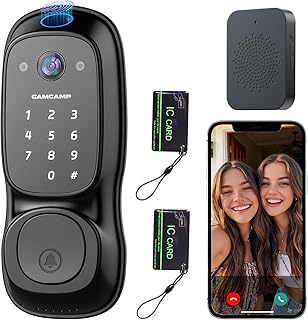


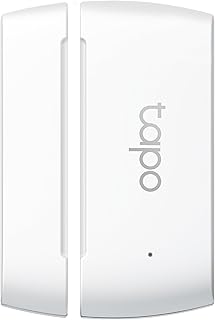


Choosing smart security equipment is not simply a matter of selecting the camera with the highest resolution or the lock with the largest feature list. A useful home-security setup should match the property layout, internet connection, power reliability, privacy expectations, installation conditions and the way household members actually use the system.
For Indian homes, the best approach is usually to think of security as a connected system rather than as one isolated gadget. A camera can provide visual evidence, a smart doorbell can help identify visitors before the door is opened, and a smart lock can control physical access. Depending on the property, additional sensors can detect doors or windows being opened and provide an earlier warning than a camera alone.
Camera resolution affects how much visual detail can be captured, but real-world identification also depends on lens quality, field of view, image processing, lighting, positioning and the distance between the camera and the subject.
A higher-resolution camera can be useful when a large area needs to be monitored or when you may need to examine details later. However, a well-positioned camera with good low-light performance can be more useful than a higher-resolution model pointed at the wrong area.
Before purchasing a camera, identify exactly what needs to appear in the frame. A narrow field of view may provide more concentrated detail, while a wider view can cover entrances, driveways, balconies or larger rooms with fewer devices.
Security incidents can occur after dark, making night performance an important buying criterion. Look beyond marketing descriptions and consider whether the camera can produce useful images in the actual lighting conditions around your property.
Infrared night vision can provide visibility in darkness, while cameras with colour imaging in suitable low-light conditions may preserve additional visual information. Bright porch lights, reflective surfaces, glass and nearby walls can also affect the resulting image.
Motion notifications can become frustrating when a camera sends repeated alerts for trees, vehicles, pets or routine movement. A useful system should therefore be evaluated for the quality and configurability of its detection features rather than simply whether motion detection exists.
Look for practical controls such as activity zones, adjustable sensitivity, person detection where supported, notification scheduling and the ability to reduce alerts from irrelevant areas. The exact features vary between models and software versions, so specifications should be checked before purchase.
Indoor cameras and outdoor cameras have different priorities. An indoor model may focus on compact installation, privacy controls, room monitoring and two-way communication. An outdoor camera must additionally cope with weather exposure, temperature changes, dust, glare and more demanding mounting conditions.
Wi-Fi cameras are attractive because installation can be simpler, particularly in rented homes and apartments. Their main dependency is a reliable wireless network and sufficient internet or local network performance for the intended use.
Wired systems can provide a more permanent installation and may be preferable for larger properties where consistent connectivity is important. The trade-off is greater installation complexity and, depending on the system, additional cabling and equipment.
Before choosing a wireless camera, check Wi-Fi coverage at the exact mounting position rather than assuming that a strong signal elsewhere in the home will be sufficient.
Storage is one of the most important differences between smart security products. Some devices rely primarily on cloud storage, some support local storage, and others provide a combination of both.
Always check whether important features require a subscription. A camera can appear inexpensive initially while its most useful recording, detection or cloud functions may require an ongoing service plan.
A smart video doorbell combines visitor notification with a camera positioned at an entrance. It can be particularly useful for apartments, independent houses, offices and properties where knowing who is at the door is important before answering.
When comparing smart doorbells, evaluate the camera's viewing angle, night performance, visitor notifications, two-way audio, installation method, storage options, power source and compatibility with the existing door area.
Battery-powered doorbells can simplify installation where existing doorbell wiring is unavailable or unsuitable. Their convenience comes with the need to monitor battery condition and understand how often the device may need charging under actual usage.
Wired doorbells can provide continuous power when correctly installed, but installation may require suitable electrical infrastructure and professional assistance. Never assume that an existing doorbell circuit is compatible with a particular smart doorbell without checking the manufacturer's requirements.
Two-way communication allows household members to speak with a visitor through the device. This can be useful when nobody wants to open the door immediately or when a delivery arrives while residents are elsewhere.
For practical use, microphone and speaker performance, notification speed and network reliability can matter as much as camera resolution.
Smart locks deserve a different type of evaluation because they control physical entry rather than simply recording events. A good buying decision should consider the underlying lock mechanism, installation quality, emergency access options, authentication methods, battery behaviour and the consequences of electronic failure.
A smart lock is still part of a physical door. Electronic features cannot compensate for a weak door, poor-quality frame, unsuitable cylinder, damaged latch or incorrect installation.
Before buying, confirm that the smart lock is compatible with the thickness, opening direction, existing mortise or cylinder arrangement and physical construction of the door. Apartment doors, wooden doors, metal doors and gates can require different solutions.
Battery management is a critical consideration. A smart lock should not be selected solely on the advertised battery life because usage patterns, connectivity, temperature, authentication frequency and configuration can affect actual endurance.
Check how the lock warns about low battery and what emergency access method is available if the internal batteries become depleted. Depending on the design, this may involve a mechanical key, external emergency power provision or another manufacturer-supported procedure.
When researching products, shoppers may encounter established brands such as TP-Link Tapo, EZVIZ, Xiaomi, Qubo, Godrej, Yale, Philips, Hikvision and CP PLUS. Brand familiarity should not replace model-level comparison, however. Features, compatibility, storage policies, installation requirements and support can differ considerably within the same brand.
For an affiliate buying guide, the most useful approach is to compare the exact model specifications and current customer feedback rather than treating an entire brand as automatically superior.
Product specification sheets can be difficult to compare because manufacturers do not always present information in the same order. Use a consistent checklist when evaluating models.
Connected security products collect information that can be highly sensitive. Camera footage, visitor activity, household routines and access-control information should be treated differently from ordinary smart-home data.
Change default credentials when the manufacturer permits it, use a strong unique account password, enable available multi-factor authentication, keep firmware and applications updated, and review which household members or third parties have access to the device.
Privacy features should also be considered before installation. A camera should be positioned so that it monitors the intended security area without unnecessarily capturing neighbouring private spaces.
Internet-connected security equipment should be evaluated for what happens when connectivity or electricity is interrupted. A camera may continue recording locally during an internet outage if its design supports local storage, while remote notifications generally depend on the relevant network connection.
For important entrances, consider the broader resilience of the setup. Depending on the property, a suitable UPS or backup-power arrangement may help keep networking equipment and security devices operational during short power interruptions. Compatibility and electrical requirements should always be checked before connecting equipment to backup power.
Apartment residents often have different requirements from independent-house owners. The installation may need to avoid permanent structural changes, and the entrance may be shared or subject to building-management rules.
Independent houses usually have more entry points and therefore require broader planning. A single camera at the main entrance may leave gates, parking areas, rear doors, balconies or side passages uncovered.
Start with a simple property map. Mark pedestrian entrances, vehicle gates, vulnerable windows, parking areas and locations where a person could approach without being visible from another camera. This makes it easier to determine whether several fixed cameras are more appropriate than relying on one pan-and-tilt device.
Commercial environments introduce additional requirements. Cameras may need to cover entrances, counters, storage areas and customer-facing spaces, while access controls may need to distinguish between employees, owners and visitors.
For these environments, storage capacity, recording continuity, user permissions and retention requirements deserve particular attention. A consumer camera may be perfectly suitable for a small application, but larger or more demanding installations may require a purpose-built surveillance system.
Storage requirements depend on resolution, frame rate, compression, recording mode, number of cameras and how long recordings need to be retained. Continuous recording consumes substantially more storage than motion-triggered recording.
Instead of choosing storage capacity in isolation, first decide how recordings will be used. A camera intended primarily for live monitoring may have different storage requirements from one expected to retain several days of continuous footage.
Buying devices individually can create compatibility problems. Before combining cameras, doorbells, locks and sensors, check whether they can be controlled from the same application or integrated into the smart-home ecosystem you already use.
Compatibility can affect everyday convenience. If a household needs several different applications to manage cameras, locks and sensors, the system may become harder to maintain and monitor. On the other hand, buying everything from one ecosystem should not automatically override better security, hardware or privacy considerations.
When purchasing security equipment online in India, compare the exact model number rather than relying only on the product title. Marketplace listings can contain abbreviated specifications, different variants or accessory bundles.
More pixels do not guarantee better identification. Camera placement, lighting and sensor performance can have a major effect on useful image quality.
Cloud storage, replacement batteries, compatible memory cards, installation and additional equipment can influence the long-term cost of ownership.
Smart locks are particularly sensitive to physical compatibility. Measure and identify the existing lock arrangement before selecting a model.
Adding more cameras is not necessarily the best solution. A carefully planned camera position can provide more useful coverage than several poorly positioned devices.
A connected security device should be protected with the same seriousness as other important online accounts. Strong credentials, software updates and available additional authentication controls are essential parts of responsible ownership.
A basic setup can focus on the most important entrance. A suitable camera or smart doorbell can provide visitor awareness and recording, while attention to lighting and physical door security can provide additional protection.
A broader setup can combine entrance monitoring with one or more additional cameras covering areas that are not visible from the main entrance. A compatible smart lock can add controlled access where appropriate.
An advanced installation can combine multiple cameras, entrance monitoring, access control, sensors, appropriate local or cloud recording and backup-power planning. Larger properties may benefit from professional security-system design rather than simply adding consumer devices one at a time.
Smart devices are best viewed as an additional layer rather than a replacement for physical security. Strong doors, quality locks, suitable lighting, secure windows, boundary protection and sensible household practices remain important.
The principal advantage of connected devices is visibility and control. Cameras can provide visual information, doorbells can improve visitor awareness, and smart locks can simplify access management. None of these features should be interpreted as a guarantee that a property cannot be entered unlawfully.
There is no single best device for every Indian home. The right choice depends on whether the primary requirement is video surveillance, visitor identification, controlled entry, or a combination of these functions. Start by identifying the property's most important security point and compare products designed for that use.
A camera can improve awareness and provide recordings, but it is only one layer of security. Physical locks, doors, lighting, access control and sensible installation practices remain important.
They can be reliable when installed within a strong and stable wireless network. Before purchasing, check the signal strength at the intended installation position and understand what functions remain available if the internet connection is interrupted.
Wireless cameras can be convenient where simple installation is important, while wired systems can be attractive for permanent installations and larger properties. The better option depends on the building, power availability, network conditions and installation requirements.
A smart lock can provide useful access-control features, but security depends on both the electronic system and the physical door and lock installation. Buyers should examine authentication options, software security, emergency access, battery management and mechanical construction before choosing a model.
Many battery-operated smart locks do not depend on household mains power for normal operation, but the exact behaviour depends on the model. Buyers should verify battery arrangements, low-battery warnings and emergency entry procedures before installation.
Requirements vary. Some features may continue through local networking or local recording without internet access, while remote viewing and cloud-based functions generally require connectivity. Always check the specific model's operating requirements.
Neither is universally better. Cloud storage can simplify remote access and off-device storage, while local storage can reduce reliance on recurring services. The right choice depends on privacy preferences, recording requirements, network availability and the manufacturer's implementation.
Consider environmental protection, night performance, field of view, mounting position, power supply, Wi-Fi coverage, storage, motion detection and the camera's ability to produce useful images under the lighting conditions at the property.
Compare exact models rather than brands alone. Examine image quality, storage, connectivity, installation, software features, privacy controls, warranty terms, compatibility and ongoing costs. Brands such as TP-Link Tapo, EZVIZ, Xiaomi, Qubo, Godrej, Yale, Philips, Hikvision and CP PLUS can all be starting points for research, but the specific product specifications should determine the final shortlist.
The strongest smart-security purchase is the one that solves a clearly identified security requirement without adding unnecessary complexity. For cameras, prioritise useful coverage, dependable connectivity, suitable night performance and sensible storage. For doorbells, concentrate on visitor visibility, communication and installation compatibility. For smart locks, give equal attention to the physical door, authentication, battery management and emergency entry.
Before purchasing, compare the exact model specifications, current customer feedback, manufacturer documentation and applicable warranty information. Prices, stock, software features and bundled accessories can change, so verify the current listing details at the time of purchase rather than relying on an older comparison.
For an India-focused buying decision, also consider the realities of apartment corridors, independent-house entrances, Wi-Fi coverage, power interruptions, outdoor conditions and local installation requirements. A carefully planned combination of physical security and appropriately selected smart devices will generally provide a more practical solution than choosing products solely because they have the longest feature list.