

♥ Wishlist
Compare 21 verified Smart TVs & Televisions products in India. Reviews, ratings, pros, cons and buying advice updated for October 2026.
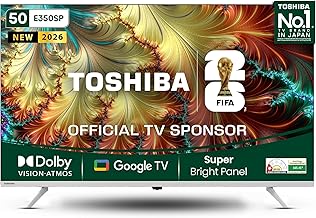


Choosing the best television in India is no longer simply a matter of picking the largest screen that fits your room. Modern TVs differ substantially in panel technology, picture processing, HDR capability, operating system, sound performance, connectivity, gaming features and long-term software support. Two televisions with the same screen size and resolution can therefore provide noticeably different viewing experiences.
This guide is designed for Indian buyers comparing smart TVs across different budgets and use cases. Rather than focusing only on headline specifications, compare the features that affect everyday ownership: viewing distance, room lighting, panel quality, processor performance, app support, HDMI connectivity, audio output, warranty terms and the type of content you watch most often.
Screen size should be selected according to viewing distance, room layout and personal preference. A larger screen can make films and sports more immersive, but an oversized television may be uncomfortable in a small room or difficult to position correctly.
A 32-inch TV can make sense for a bedroom, compact guest room, kitchen area or small rental property. At this size, buyers should pay particular attention to smart-platform functionality, viewing angles, connectivity and sound rather than assuming that a higher number of specifications automatically means better everyday performance.
43-inch models are popular for bedrooms, smaller living rooms and apartments where a larger panel would dominate the available space. This size is also a practical starting point for buyers who want 4K without moving to a very large television.
A 50- or 55-inch television is often a versatile choice for a typical living-room entertainment setup. It offers enough screen area for films, cricket, streaming series and console gaming while remaining manageable in many medium-sized rooms.
Large-screen TVs are most useful when the room provides sufficient viewing distance and wall or floor space. They can deliver a more cinematic experience, especially for high-quality 4K content. Before buying, measure the television's full physical dimensions, including its stand, rather than relying only on the advertised diagonal screen size.
Resolution describes the number of pixels used to form an image. A 4K UHD television has substantially more pixels than a Full HD model, allowing compatible high-resolution content to appear sharper and more detailed.
For buyers purchasing a larger television in 2026, 4K is generally the more future-oriented specification to consider. However, resolution is not the only determinant of picture quality. Panel contrast, brightness, colour reproduction, image processing, viewing angles and source quality can have a greater visible effect in some situations.
A television can advertise 4K resolution while still producing an underwhelming picture if its panel, processing or HDR implementation is weak. Treat resolution as one part of the specification rather than the entire picture-quality story.
Conventional LED-backlit LCD televisions remain an important category because they can provide a good balance between price, brightness, screen size and functionality. The quality of an LED TV varies considerably between models, so specifications such as local dimming, contrast performance and panel type deserve attention.
QLED televisions use quantum-dot technology with an LCD-based display architecture. Depending on the implementation, quantum dots can help produce a wider colour range and strong brightness. QLED should not automatically be treated as synonymous with OLED; the two technologies use fundamentally different approaches to creating images.
Mini-LED televisions use a large number of smaller backlight elements to provide more precise control of illuminated areas. When combined with effective local dimming, this can improve contrast and HDR performance compared with simpler edge-lit or basic direct-lit designs. Performance still depends on the implementation, processing and number of independently controlled zones.
OLED panels use self-emissive pixels, meaning individual pixels can turn off rather than relying on a conventional backlight. This enables very deep blacks and strong contrast, making OLED particularly attractive for films and dark-room viewing. Potential buyers should nevertheless compare brightness, room conditions, intended usage and manufacturer guidance rather than choosing OLED solely because it is a premium technology.
Contrast determines how convincingly a television can display dark and bright portions of the same scene. Strong contrast is particularly noticeable in movies with nighttime scenes, shadows and cinematic lighting.
Brightness becomes increasingly important in rooms with windows, strong daylight or artificial lighting. A television with insufficient brightness may make HDR highlights and daytime viewing less impactful. However, maximum brightness figures should not be interpreted without considering how the television sustains brightness across different portions of the screen.
More colour is not necessarily better colour. A good television should reproduce colours naturally when accurate picture modes are selected. Buyers who watch films, television series or sports should compare picture modes and independent measurements where available instead of relying entirely on marketing descriptions.
If several people regularly watch from different positions, viewing-angle performance matters. Some LCD-based panels can lose contrast or colour consistency when viewed from the side. This is an important consideration for wide living-room seating arrangements.
Much of the content watched in India is not native 4K. Streaming services, television broadcasts, older films and set-top-box content can arrive at different resolutions and compression levels. A capable processor can improve the appearance of lower-resolution material through scaling, noise reduction and other image-processing techniques.
High Dynamic Range, commonly called HDR, aims to reproduce a wider range between dark and bright portions of an image while supporting broader colour information. HDR performance depends on both the television and the content being displayed.
Common HDR technologies include HDR10, HDR10+, Dolby Vision and HLG. Support varies by manufacturer and model. Buyers should check the exact specification of the television rather than assuming that every TV in a particular brand range supports every HDR format.
More HDR formats do not automatically guarantee better picture quality. Panel brightness, contrast, local dimming, tone mapping and content mastering remain important.
A smart television is also a software device. The operating system affects navigation, application availability, voice features, casting, recommendations and the overall user experience.
Google TV and Android TV-based televisions are widely represented in the Indian market, while Samsung uses its own smart-TV platform and LG uses webOS. Other manufacturers may use their own interfaces or licensed platforms. When comparing models, check the exact operating system because the experience can differ between product generations.
Important questions include:
Brand reputation can be useful when comparing televisions, but it should not replace model-level evaluation. Sony, LG, Samsung, TCL, Hisense, Panasonic, Xiaomi, OnePlus and other established manufacturers have offered televisions for Indian consumers across different segments. The strongest choice depends on the specific model, its panel and processing technology, features, after-sales arrangements and price at the time of purchase.
For a premium purchase, compare the precise model number rather than judging the product solely by brand. Manufacturers can use different panel technologies, processors and feature sets across their product ranges.
Refresh rate indicates how frequently a display can refresh the image. A higher refresh rate can provide smoother motion, particularly in compatible gaming scenarios and fast-moving content.
Gamers should look beyond a headline refresh-rate number. Check whether the television supports HDMI 2.1 features where relevant, variable refresh rate, automatic low-latency mode and the appropriate resolution at the desired refresh rate. Compatibility between the TV, console, PC and HDMI cable also matters.
For PlayStation 5, Xbox Series X or a gaming PC, buyers should verify the exact gaming specifications of the television instead of assuming that every model marketed as a gaming TV supports every feature.
Connectivity is easy to overlook during a purchase and frustrating to discover later. Count the devices that will remain connected to the TV.
HDMI ARC or eARC can be particularly important for soundbars and AV receivers. eARC can support higher-bandwidth audio formats than conventional ARC, subject to the capabilities of the television and connected equipment.
Also check whether the required HDMI features are available on all ports or only specific inputs. This distinction can matter when multiple high-bandwidth devices are used.
Television manufacturers increasingly focus on slim designs, which can restrict the physical space available for speakers. Even a high-quality picture can feel less immersive if dialogue is unclear or the television lacks sufficient low-frequency response.
For everyday news, serials and casual viewing, built-in speakers may be sufficient. A soundbar becomes more attractive for movies, sports, gaming and larger rooms. If you plan to purchase one, check HDMI ARC or eARC compatibility and the television's supported audio formats.
Do not choose a TV solely because it advertises a large speaker wattage figure. Speaker design, enclosure space, processing and room acoustics all affect the result.
When comparing two or more models, create a simple specification checklist rather than comparing isolated marketing terms.
At the lower end of the market, prioritise reliable basic picture quality, a usable smart platform, adequate connectivity and dependable manufacturer support. Avoid paying extra for specifications that you are unlikely to use.
This segment often provides the strongest balance for general family use. Look for 4K resolution, good processing, useful HDR support, sufficient HDMI connectivity and a responsive smart-TV interface. A modest increase in budget can sometimes improve the overall ownership experience more than simply increasing screen size.
Buyers in this range can begin comparing better panel technologies, stronger HDR performance, higher refresh rates, improved processing and more advanced gaming features. This is also where direct comparisons between QLED, Mini-LED and other enhanced LCD implementations can become particularly relevant.
Premium buyers should focus on measurable performance rather than the number of advertised features. OLED and advanced Mini-LED televisions can offer significant picture-quality improvements, but the right choice depends heavily on room lighting, viewing habits, gaming requirements and the desired screen size.
A large screen is only an advantage when the room can accommodate it comfortably. Measure wall width, furniture depth, viewing distance and stand placement before ordering.
Two 4K televisions can have very different contrast, brightness, motion handling and colour performance. Resolution alone is not an adequate comparison.
A television with too few HDMI inputs can force you to repeatedly disconnect equipment or purchase additional switching hardware. Count current and planned devices before buying.
HDR format support does not guarantee strong HDR performance. The panel's actual brightness, contrast and tone-mapping behaviour are equally important.
A television can have excellent hardware but become frustrating if the interface is slow or the applications you rely on are unavailable. Check the exact software platform before purchase.
Thin televisions often have limited acoustic volume and bass. If you want a home-theatre-style experience, include a soundbar or external audio system in your overall budget.
Customer ratings can help identify recurring concerns, but they should be read alongside detailed specifications. Reviews may combine different screen sizes, manufacturing revisions or use cases. Look for repeated comments about the exact model you are considering.
Do not judge a television from its average star rating alone. Look for recurring themes across recent verified-purchase feedback where such information is provided by the retailer.
One isolated complaint does not necessarily establish a product-wide problem. Conversely, repeated reports describing the same issue deserve closer investigation.
Before installation, decide whether the television will sit on furniture or be wall-mounted. Check the mounting standard and television weight if using a wall bracket. The wall itself must also be suitable for the selected mounting method.
Leave appropriate ventilation around the television according to the manufacturer's instructions. Avoid placing the set where direct sunlight falls continuously on the screen or where heat-producing appliances can raise its operating temperature.
For wall mounting, consider cable routing before the bracket is installed. HDMI, power, Ethernet and antenna connections should remain accessible enough for future upgrades.
Smart televisions can collect usage information to provide recommendations, advertising or other connected services. During setup, review privacy and data-sharing options rather than accepting every setting automatically.
Use strong passwords for connected accounts and avoid signing into unnecessary services on a shared television. If children use the TV, parental controls and content restrictions can provide an additional layer of protection.
Television power consumption varies according to screen size, panel technology, brightness settings and usage patterns. Larger and brighter displays generally require more energy than smaller screens, although actual consumption depends on the particular model.
When energy use matters, check the official energy label and manufacturer's specifications for the exact model. Avoid comparing televisions using only their screen size or technology name because implementations can differ.
When two televisions have nearly identical specifications, compare the features that will affect your actual usage. Start with panel performance, then examine processing, HDR, refresh rate, smart-TV software and connectivity. After that, consider audio, design and warranty terms.
If the more expensive model adds features that you will never use, the cheaper option may provide better value. Conversely, paying more can make sense when the upgrade provides a meaningful improvement in contrast, motion performance, gaming support, processing or long-term usability.
Online shopping can make it easier to compare specifications, customer feedback and prices across retailers. Before ordering, however, verify the exact model number, screen size, seller information, warranty conditions and installation policy.
Do not assume that two listings with similar product names are identical. Television manufacturers can release multiple variants with different screen sizes, refresh rates, ports or regional specifications.
When comparing prices, consider the complete purchase rather than the headline discount. Installation, mounting accessories, extended warranty options and a soundbar may affect the actual cost of creating the entertainment setup you want.
A premium television is most worthwhile for buyers who can actually benefit from its superior display technology. Movie enthusiasts, serious gamers and people building dedicated home-entertainment spaces may appreciate improvements in contrast, HDR, motion handling and processing.
For casual television viewing, news, general streaming and standard set-top-box content, a well-chosen mid-range television may deliver better overall value than paying substantially more for specialised display capabilities.
Users who primarily stream content, cast from phones and switch between numerous applications may value a responsive operating system and good connectivity more than advanced panel technology. A dependable smart platform can make a noticeable difference to everyday convenience.
If the built-in interface is not important because you already use an external streaming device, prioritise display quality, connectivity and audio instead.
Console and PC gamers should pay particular attention to input latency, refresh rate, variable refresh rate, automatic low-latency mode, HDMI capabilities and supported gaming resolutions. These features can be more important than premium audio or cosmetic design.
Always check the exact specification for the intended model. A television brand's general reputation for gaming does not mean that every model in its range offers the same gaming functionality.
OLED is especially attractive when deep blacks and high contrast are priorities. It can be an excellent fit for film-focused rooms and viewers who appreciate cinematic picture quality. Buyers should also consider room brightness, viewing habits and manufacturer guidance before making a final decision.
Advanced LCD technologies can be attractive for buyers who want strong brightness, large screen sizes and enhanced HDR performance. They can be particularly relevant in bright rooms where high sustained brightness is useful.
Because implementations vary, compare actual model specifications rather than assuming that every Mini-LED or QLED television will perform identically.
There is no single best television for every Indian household. The right choice depends on budget, room size, viewing distance, preferred content, gaming requirements, desired screen technology and smart-TV preferences.
For many buyers, 4K is a sensible choice, particularly when purchasing a medium or large television. It provides greater resolution for compatible content and can make a larger screen more detailed when viewed at an appropriate distance.
Not necessarily. A higher refresh rate is most valuable when you watch or play content that can take advantage of it. For ordinary television programmes and many films, other picture-quality characteristics may matter more.
Neither technology is universally better. OLED has a fundamental advantage in pixel-level black control and contrast, while high-end QLED and Mini-LED implementations can offer strong brightness and HDR performance. Room conditions and viewing priorities should guide the decision.
HDMI 2.1 features can be important for certain modern gaming and high-bandwidth applications, but they are not essential for every television buyer. Check the requirements of your console, PC and audio equipment before paying extra for them.
Choose enough ports for all devices you intend to keep connected. A household using a set-top box, soundbar, console and streaming device may need more HDMI connectivity than someone who uses only the television's built-in applications.
Built-in speakers can be adequate for everyday programmes, but a soundbar or external audio system can provide a stronger cinematic experience, clearer dialogue and more substantial bass.
Dolby Vision can be useful if you watch compatible content and want support for that HDR format. However, the television's actual panel performance remains important. Format support alone does not guarantee superior HDR results.
Actual service life varies according to usage, environmental conditions, hardware reliability and software support. There is no universal lifespan that applies to every television. Consider the manufacturer's warranty, support policy and the television's intended usage when assessing long-term value.
Compare the cost, duration, exclusions and coverage of any extended warranty with the television's purchase price and the manufacturer's standard warranty. Read the terms carefully rather than assuming that every type of fault will be covered.
Basic television functions can generally be used without internet access, depending on the model and connected source. However, streaming applications, software updates and many smart features require an internet connection.
They are related television platforms, but the user experience and interface can differ. Check the exact operating system listed for the model you are considering rather than assuming that every Android-based or Google-branded television has the same interface.
For general family use, prioritise dependable picture quality, a responsive smart platform, sufficient HDMI ports, good viewing angles, clear dialogue and a screen size appropriate to the room. A balanced television is usually more useful than one designed around a single premium specification.
The best television purchase is not necessarily the model with the longest specification sheet or the largest discount. Start by determining the screen size that suits your room, then decide which display technology fits your viewing environment. After that, compare picture processing, HDR, refresh rate, smart-TV functionality, connectivity and audio.
For the final shortlist, compare the exact model numbers, read recent customer feedback, review manufacturer specifications and verify the current retailer price. Pay particular attention to features you will actually use rather than paying a premium for marketing terminology.
Whether you are shopping for a compact bedroom TV, a family-room 4K television, a large-screen sports display, a gaming TV or a premium home-cinema screen, careful model-level comparison is the most reliable way to find the right option for your budget and requirements in India.